Contactless Reception Best Practices for a Smooth Visitor Flow
5 October 2026
Start with a Smooth Arrival
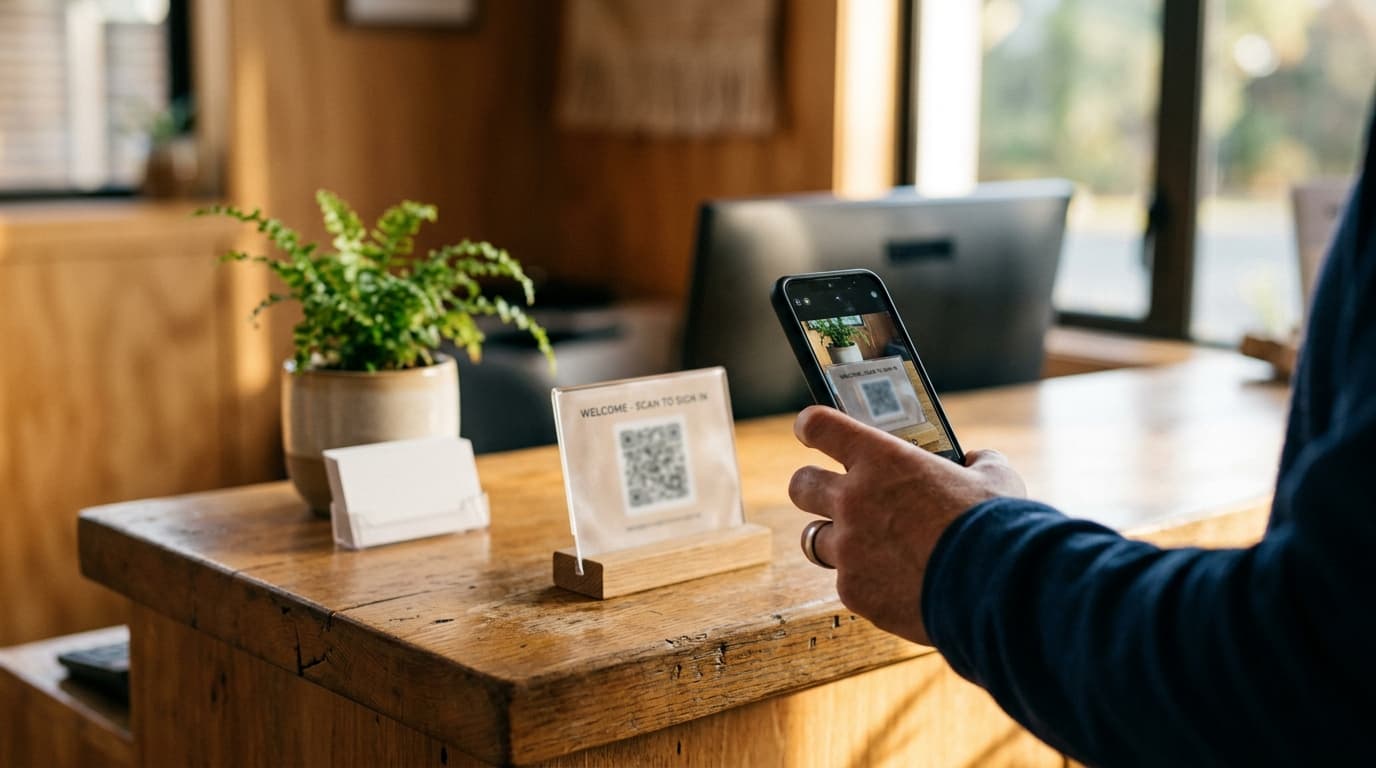
Contactless reception is no longer a nice-to-have—it's the expectation. Visitors want to sign in without touching shared screens or waiting for a front desk agent to type their details. A well-designed contactless flow gets visitors from the door to their host in seconds, while keeping your security and privacy standards high.
What You Need Before You Start
Before you roll out contactless sign-in, make sure you have:
- A visitor management system that supports QR code or NFC sign-in (like Entrica)
- A printed QR code at the entrance, or an NFC tag on a stand
- A tablet kiosk as a backup (optional but helpful for visitors who prefer it)
- A staff member who receives notifications and can respond quickly
You don't need any special hardware or app downloads. Visitors use their own phone camera to scan and sign in.
7 Contactless Reception Best Practices
1. Make the entry point obvious
Place a QR code or NFC tag at eye level near the entrance. Add a small sign: "Scan to sign in" or "Tap here to visit." Ambiguity creates friction.
2. Pre-register visitors when you can
If your system supports pre-registration, send an invitation before the meeting. The visitor simply confirms their details on arrival. This cuts the sign-in time to under 30 seconds and feels much more welcoming.
3. Keep the form short
Only ask for what you really need: name, company, host, and purpose. Every extra field is a reason for a visitor to hesitate. You can always capture more details later.
4. Notify the host instantly
As soon as the visitor signs in, the host should get an email or SMS. This eliminates the awkward "who's here to see me?" moment and keeps the office running smoothly.
5. Send a digital badge by email
A PDF badge is secure and contactless. Visitors can show it on their phone, and it works for compliance without printing anything. This is especially useful for offices that require visitor identification.
6. Use auto sign-out for accurate records
Visitors often forget to sign out when they leave. Auto sign-out ensures your visitor log is always up to date, which matters for safety and emergency evacuation lists.
7. Monitor your dashboard and review the audit log
Check your live dashboard regularly to see who's on-site. Review the audit log to spot any unusual patterns. This is a simple habit that improves security and helps you meet your privacy obligations.
Common Mistakes to Avoid
- Overcomplicating the form: If you ask too many questions, visitors will get frustrated. Keep it essential.
- Ignoring peak times: Test the process when your office is busiest. Make sure the QR code is visible and the network holds up.
- Not training your team: Reception staff need to know how to handle visitors who can't scan, or who arrive without a pre-registration.
- Forgetting to maintain your devices: If you use a tablet kiosk, keep it charged and updated. Replace worn QR codes or NFC tags.
Final Thoughts
Contactless reception is about more than avoiding a shared screen—it's about creating a smooth, professional first impression. With a tool like Entrica, you can set up a contactless flow using QR codes, NFC, or a tablet kiosk in just a few hours. Start with these best practices, and your visitors will be through the door and on their way before they even realize they've "signed in."